

The first tee, in detail
You are on the first tee, the group behind you is already on the putting green, and somebody has to keep score. That is the whole window a scorecard app gets. If it wants an account from each of you, a course it cannot find and six screens of settings, the paper card wins, and it should.
Here is what the window looks like in Swilkin.
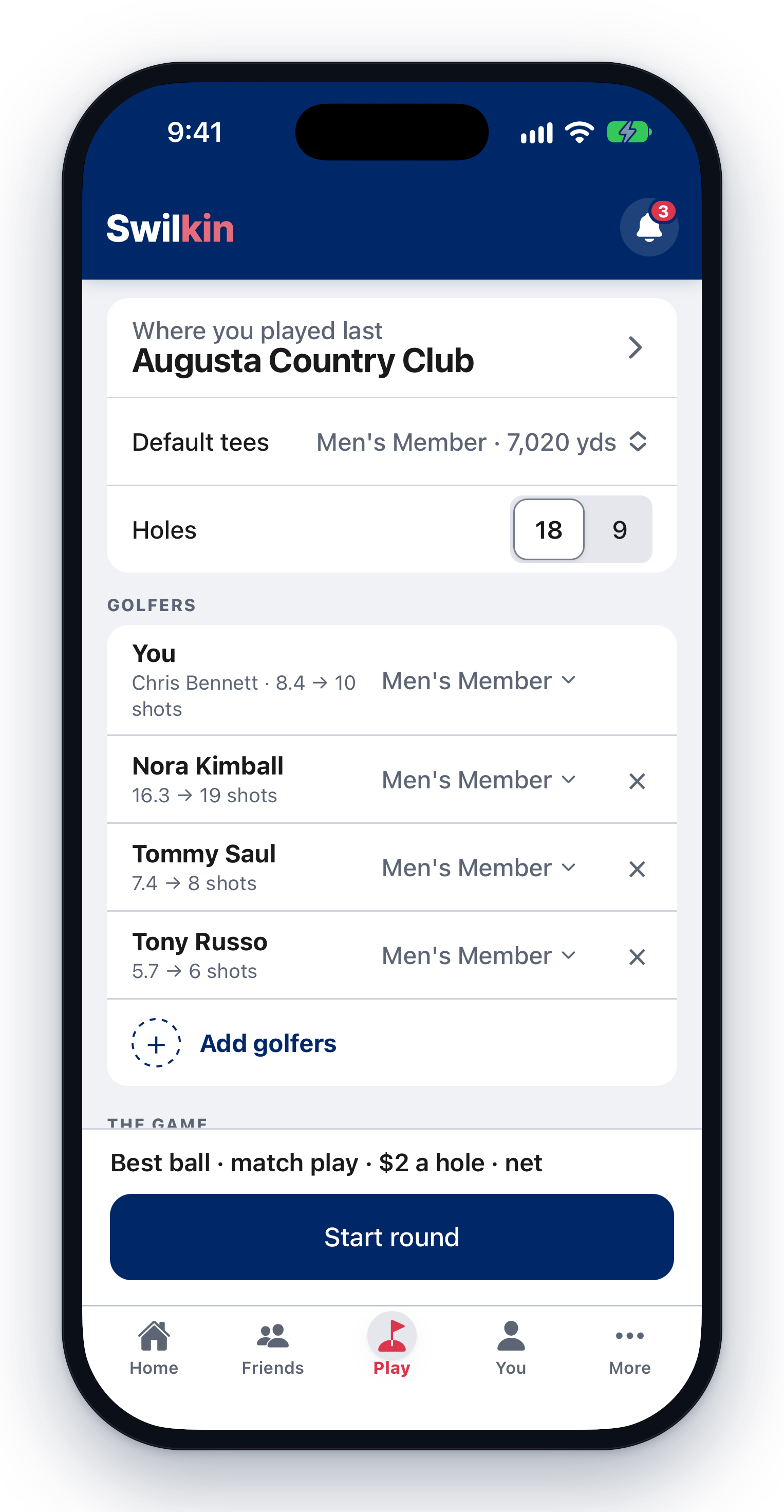
1. Where you’re playing
The course you are standing on comes first, under Near you, and a club’s courses are one tap each. Search any other and its slope, rating and tees import on their own. Your favourites and recent courses sit under them, so it is usually one tap. If a course is missing, add it yourself.
Nine holes, front or back, or eighteen.
2. Golfers
Tap Add golfers. The people you have played with are listed with their index, one tap each, or type any new name. Nobody you add needs the app or an account.
Each golfer’s tee and strokes fill themselves in from their index, per tee, so a group on three different sets of tees still gets an honest net. No index on file means scratch, and the app says so.
3. The game
Tap Game and pick it from the list: Match play, Best ball (four-ball), a Nassau, Stroke play, Birdies & junk, Stableford, Wolf, Skins, and more under More games. The game’s own block sits right under it on the same screen and asks only what that game needs: for a best ball, Match play or Stroke play, Gross or Net, who is on which team and how many scores count, then what it is played for.
Playing the same game every week? Save this game to use again, and next time it is one tap.
4. Score it
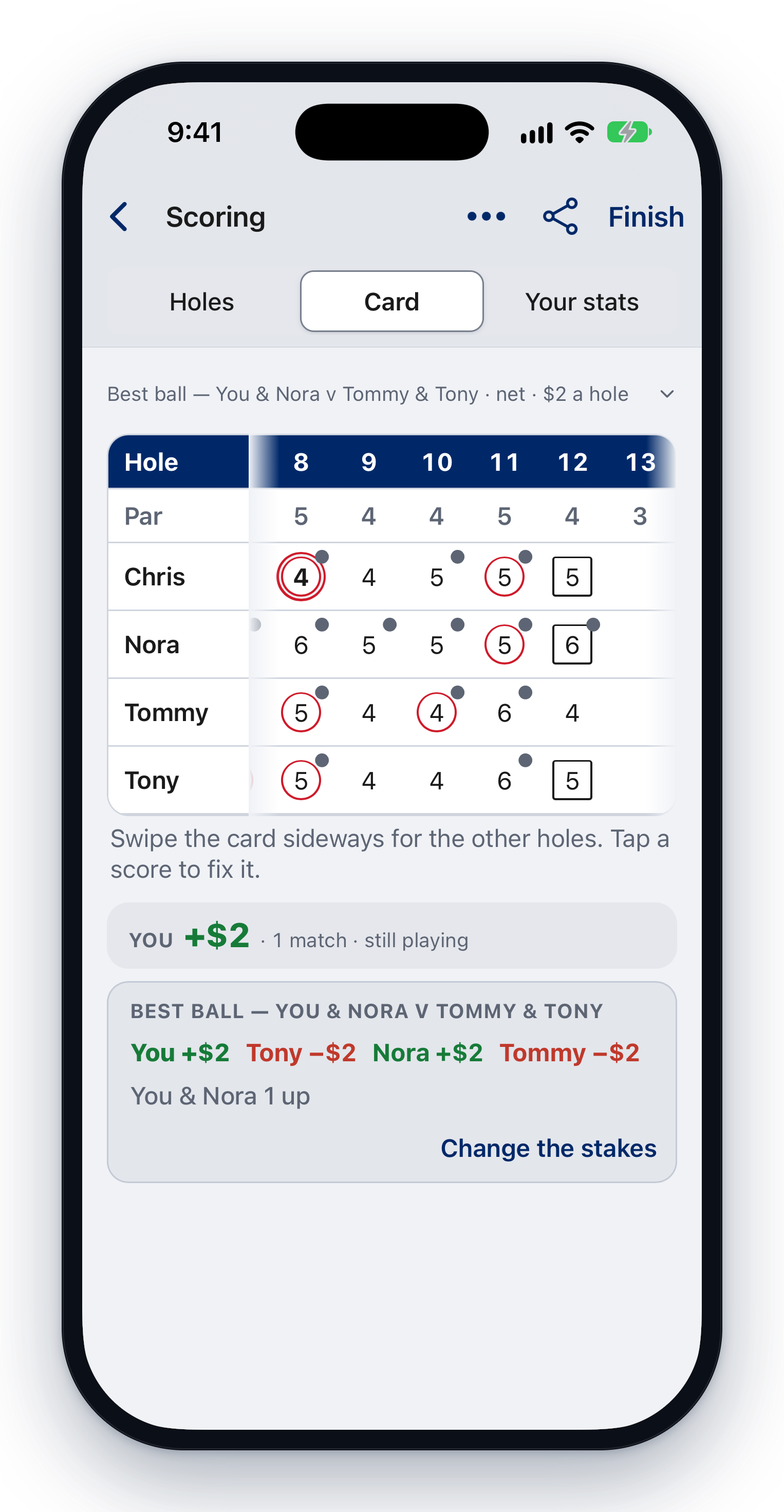
Hole by hole, from one phone or everyone’s own: one link or a short code opens the group’s card on every phone and scores sync live. The card does the math: gross, net, who’s up.
Lost signal on the back nine? Scores you tap are held on the phone and sync when it returns; the card never blocks you mid-hole.
Wrong number? Until the round is finished, anyone on the card just fixes it.
What you walk off with
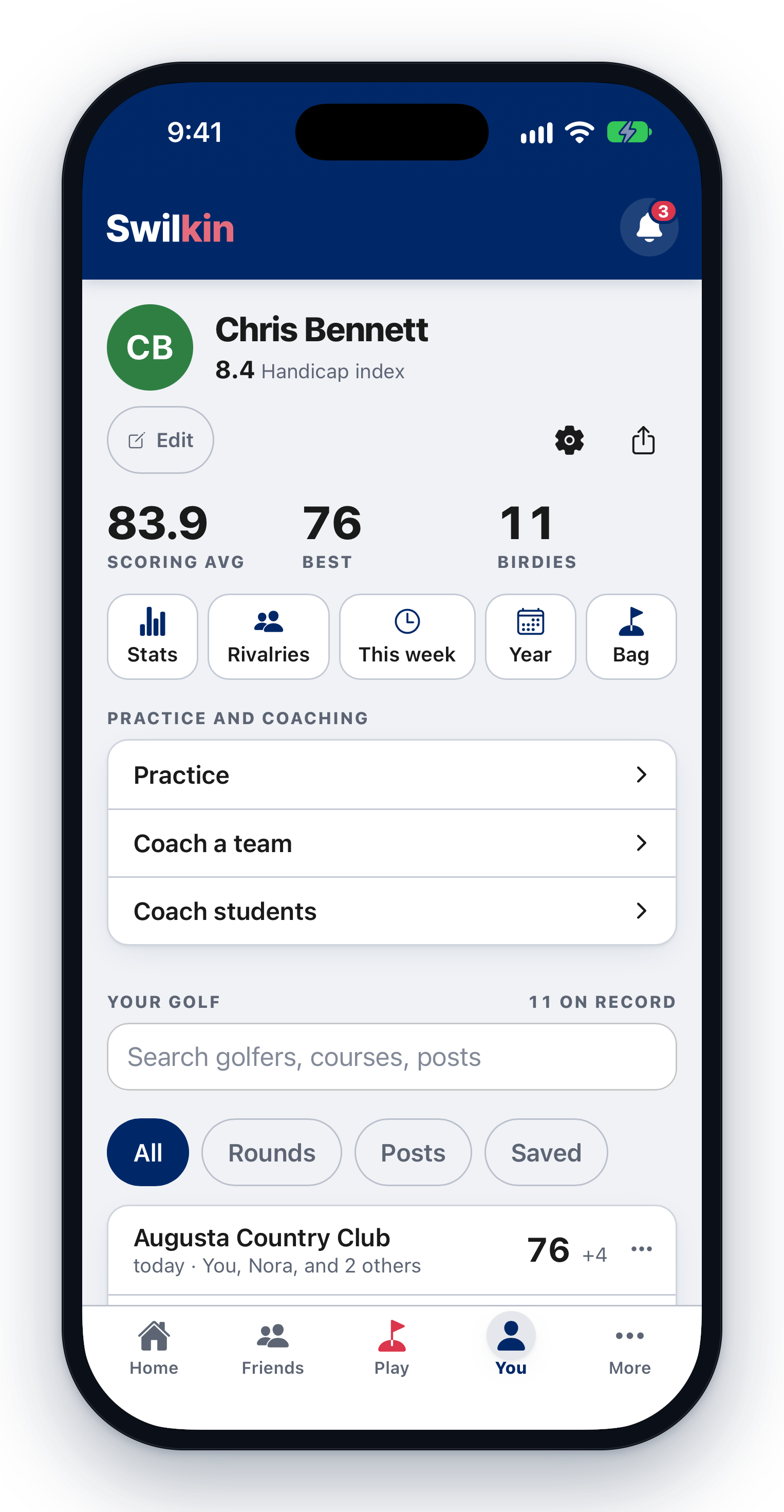
The round is in your history, and it counts: scoring average, best round, birdies, and fairways, greens and putts if you tracked them. Your record against each person on the card updates on its own. If the group played for something, the round’s settle screen shows who pays who, itemized.
The honest notes
- Starting a round needs a connection. So does opening the card in the first place. Set it up in the car park.
- No rangefinder. There are no yardages and no shot tracking; GPS is only used to find courses near you.
- It does not post to GHIN and does not calculate an index.
- You can add a golfer mid-round, though not onto a scramble’s one ball.
The step-by-step, with screens · scoring with no signal · photograph a paper card instead